
Evidence note: The illustrations use placeholder content, not a live client system, and name no client, event, city, or performance detail.
A broadcast media team needs to keep its public event websites current while schedules, images, and announcements arrive from different stakeholders. Much of that coordination happens in chat. Turning those conversations into website updates is part of the job we are building Omni into.
In this contracted engagement, the planned workflow gives an Omni agent a role in the team's existing chat channel: receive content and instructions, flag missing information, and help prepare website changes for review. The team checks a private preview and decides what can go public.
The project is in implementation. Here is how that approach is designed to work, and what still needs to be demonstrated.
1. Chat instructions become structured website work
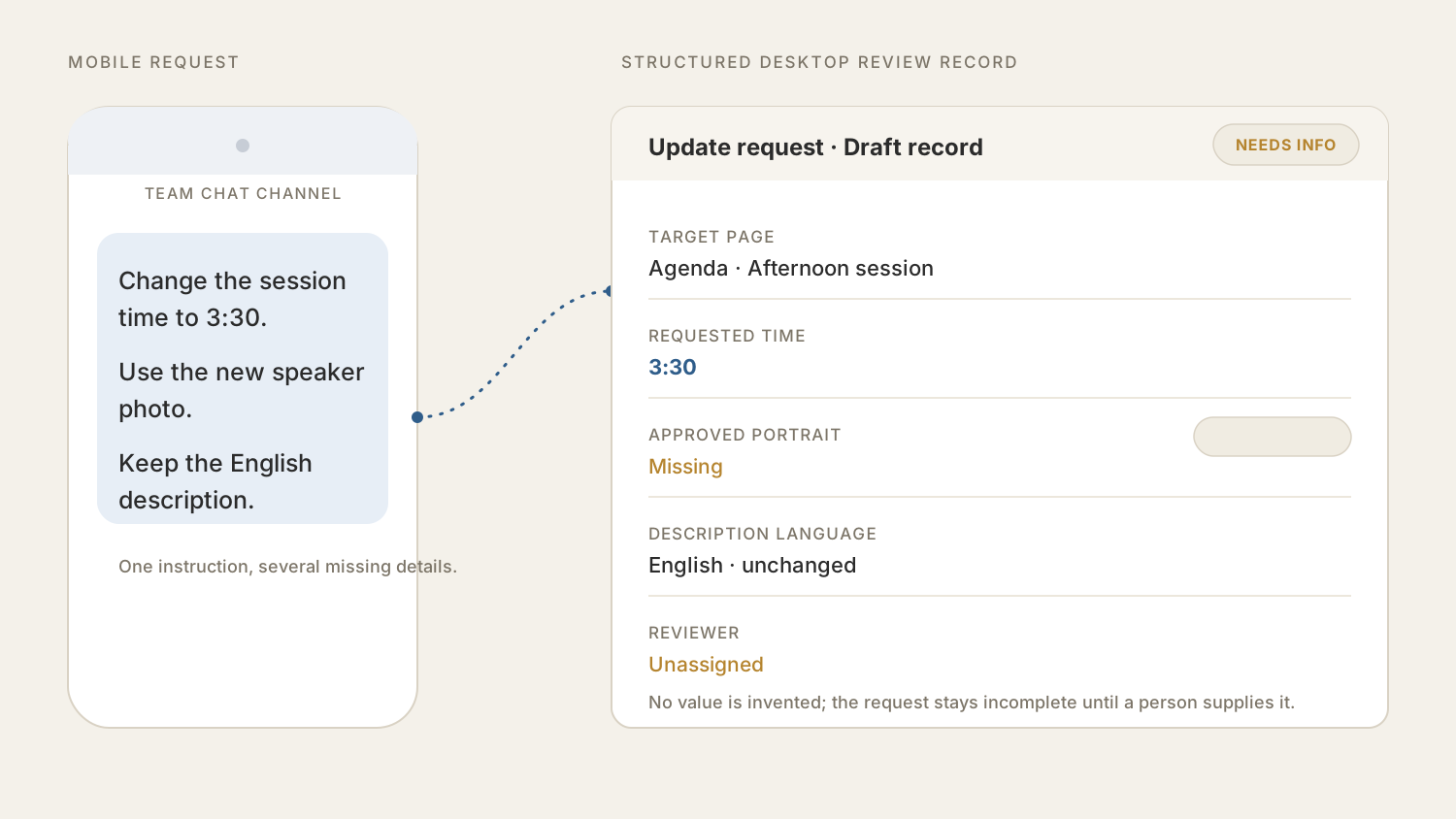
Website updates often arrive as a mix of schedules, replacement images, announcement copy, and instructions about what must stay unchanged. A short chat message may be clear to the sender while still missing the exact page, approved asset, content owner, or reviewer required to make a safe update.
The planned Omni role is to keep the source instruction and organize the work around it. A draft update record can show:
- The target website, page, and section.
- The schedule, image, or announcement that needs to change.
- The approved source file or copy supplied by the team.
- Any content that must remain unchanged.
- Missing information and the person responsible for final review.
Missing fields remain visible instead of being guessed. The agent can ask for the exact page, approved asset, or reviewer before the work proceeds, while keeping each clarification attached to the same update record.
2. The same update moves from chat to desktop review
An employee can begin the request in the team's existing chat channel, then continue reviewing the same work on desktop. The original instruction, supplied content, missing items, corrections, and current version remain together.
That continuity gives the reviewer a clear comparison: what the team asked to change, what must stay untouched, which assets are approved, and which questions are still unresolved. If the reviewer finds the wrong page, an outdated image, or an unintended copy change, the correction is made on the same record instead of disappearing into a separate message or private note.
This is the practical role planned for Omni: reduce the handoff gap between the conversation where work begins and the review surface where a person decides whether it is ready.
3. A private preview keeps publication under human control
When the required content and ownership fields are complete, Omni is designed to help prepare a private preview separate from the public website. The team can compare that preview with the source instruction and the structured update record.
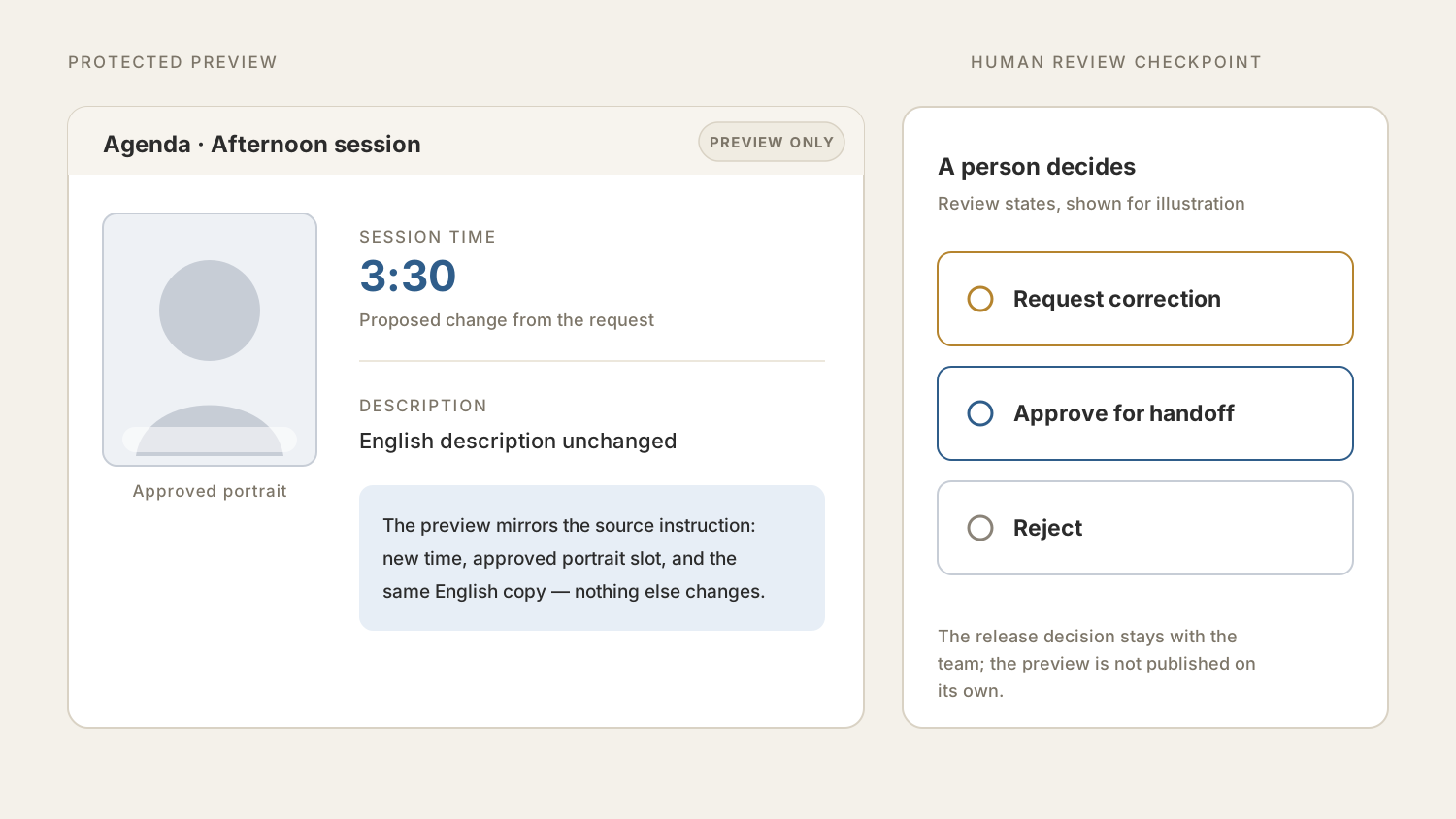
If something is wrong, the reviewer requests a correction and the proposed update returns for revision. If it is right, the reviewer approves that version for the publication or engineering handoff defined by the engagement.
The release decision stays with the team. The workflow still needs end-to-end client verification, but its intended value is concrete: one traceable path from chat-based content coordination to a reviewed website change.
The implementation can begin with a narrow scope: one update type, a fixed set of required fields, one private preview, one named reviewer, and a controlled handoff.